Find the top gifters in your creators' rooms and watch them
By
- toktokdata.live team · Data teamThe people who read the boards, run the crawlers and write the methodology.
Published
Reading time
2 min read
Gifters: who really feeds your creators
Gifters lists the viewers who sent gifts in the LIVE rooms we recorded for your workspace, grouped by how much and how often they give. It is where an agency finds the whales behind a creator's best nights, the gifters who are just starting to spend, and the regulars a creator should thank.
The video uses demo gifters to show the list, the filters, a gifter's profile and the gifter watchlist.
Step by step
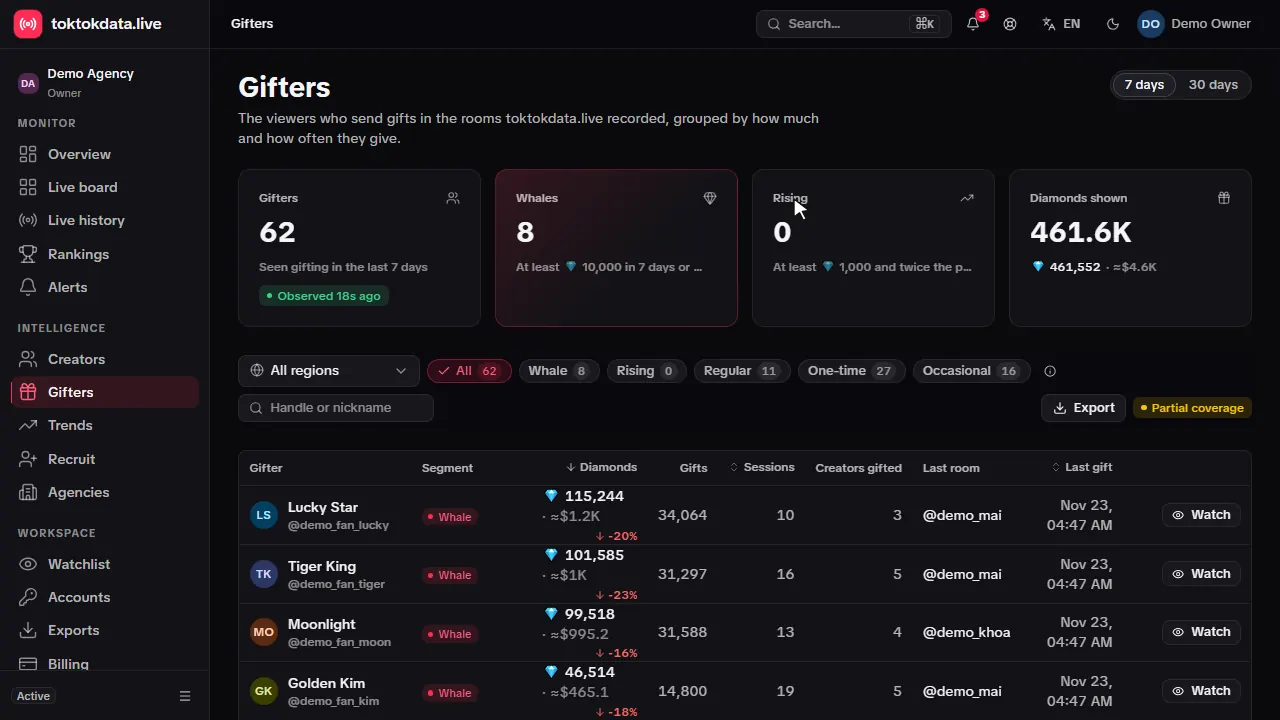
1Gifters shows everyone who gifted in the rooms we recorded, with whales and rising gifters on top.
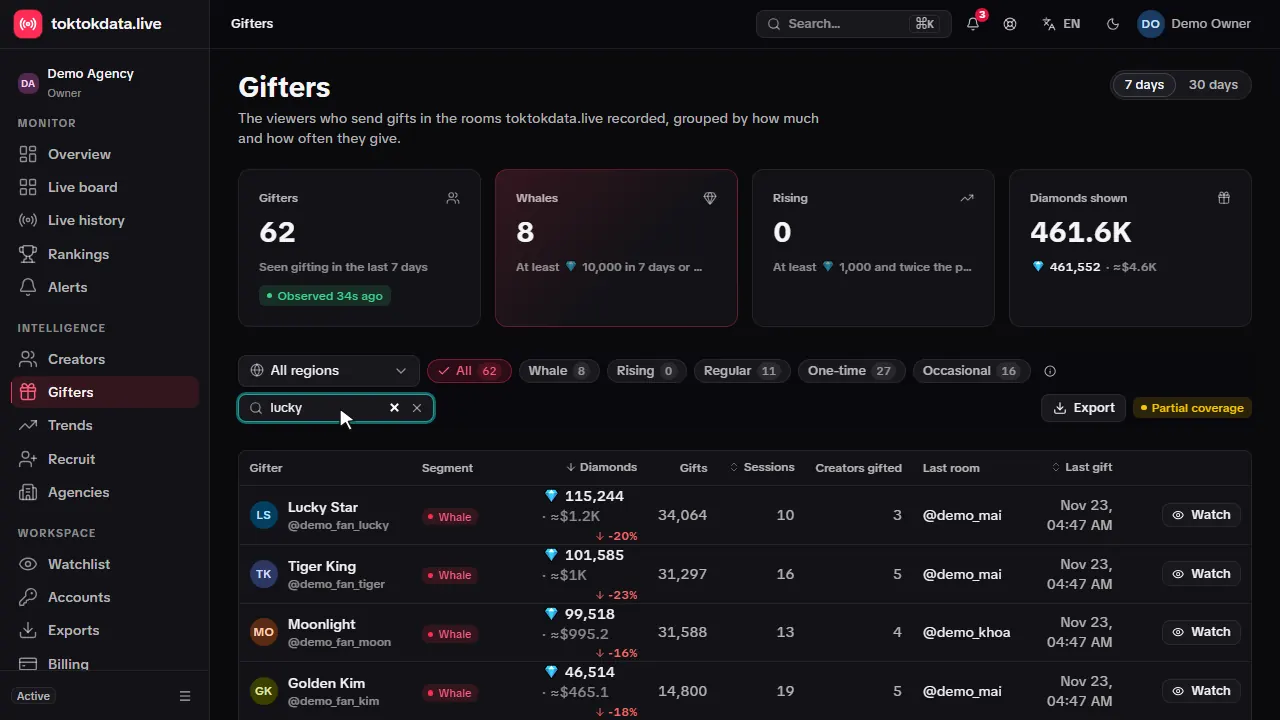
2Filter by segment or region, or search a handle or nickname.
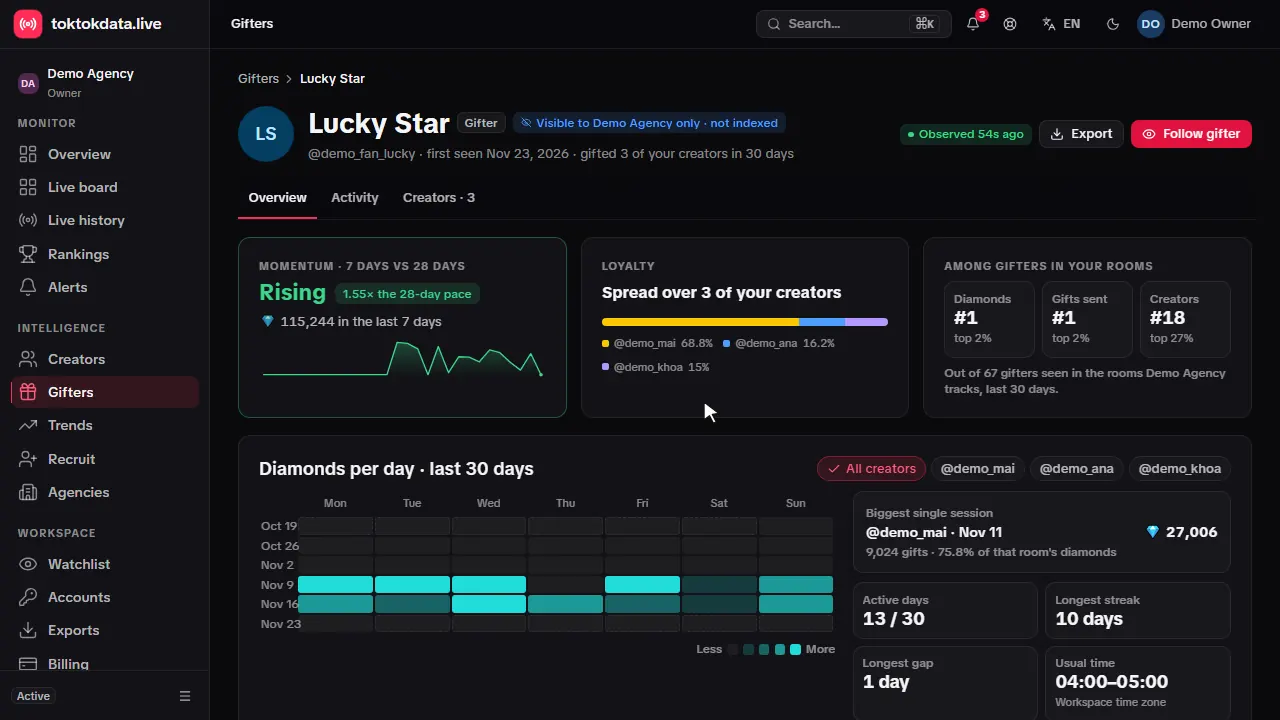
3Open a gifter, then Open profile: diamonds over time, which of your creators they gift and how loyal they are.
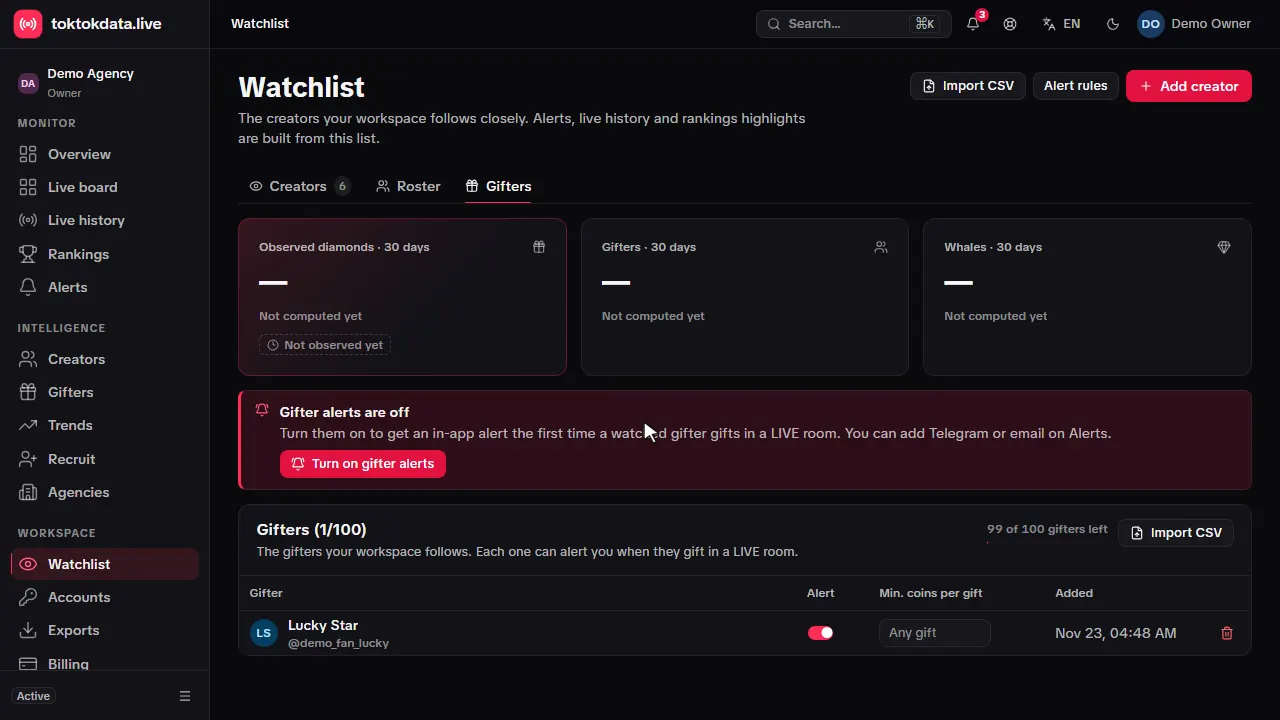
4Follow a gifter to get an alert when they gift in a LIVE room; they appear on the Gifters tab of the watchlist.
Segments
Each gifter gets one segment for the window you pick (7 or 30 days):
- Whale: at least 10,000 diamonds in 7 days or 30,000 in 30 days
- Rising: at least 1,000 diamonds and twice the previous window
- Regular: gifted in 3 or more sessions
- One-time: gifted in one session only
- Occasional: everyone else
A gifter's profile
The profile shows the gifter's momentum (the last 7 days against their 28-day pace), their loyalty (whether they give to one of your creators or spread their gifts), their rank among the gifters in your rooms and their diamonds per day. Gifter profiles are private to your workspace and never indexed by search engines.
On the Free plan the gifter lists show the top gifters only; paid plans show every gifter. The gifter watchlist, with an alert the first time a watched gifter gifts in a LIVE room, starts on Pro. See the pricing page.
Where the numbers come from
Only gifts in rooms we recorded are counted: gifts sent in other rooms are not in these totals, so they are a lower bound. The lists are rebuilt every 15 minutes from recorded sessions. Read how we collect data, and see the same gifters per LIVE on a creator's LIVE page. To widen what is recorded, add more creators to your watchlist.
Questions
Frequently asked questions
Why don't I see a gifter I know gave a lot?
We only count gifts in rooms we recorded. If that gifter gave in a room that is not on your watchlist, or before the creator was tracked, it is not counted.
Does a gifter know they are on my watchlist?
No. Watching a gifter only sets up alerts for your workspace; nothing is sent to the gifter.
Can I export the gifter list?
Yes, on paid plans: use Export on the Gifters page to download the list you are looking at.