How to read a creator's LIVE page: KPIs, gifts, PK battles and rivals
By
- toktokdata.live team · Data teamThe people who read the boards, run the crawlers and write the methodology.
Published
Reading time
2 min read
One page for one creator's LIVE
Open a creator from the live board or the watchlist and you land on their LIVE page. It shows the running LIVE as it happens, or the last recorded one, and every card follows the range picked at the top: this live, the last hour, today, 7 or 30 days, all time or your own range.
The video walks through the page of a demo creator during a LIVE with a PK battle running.
Step by step
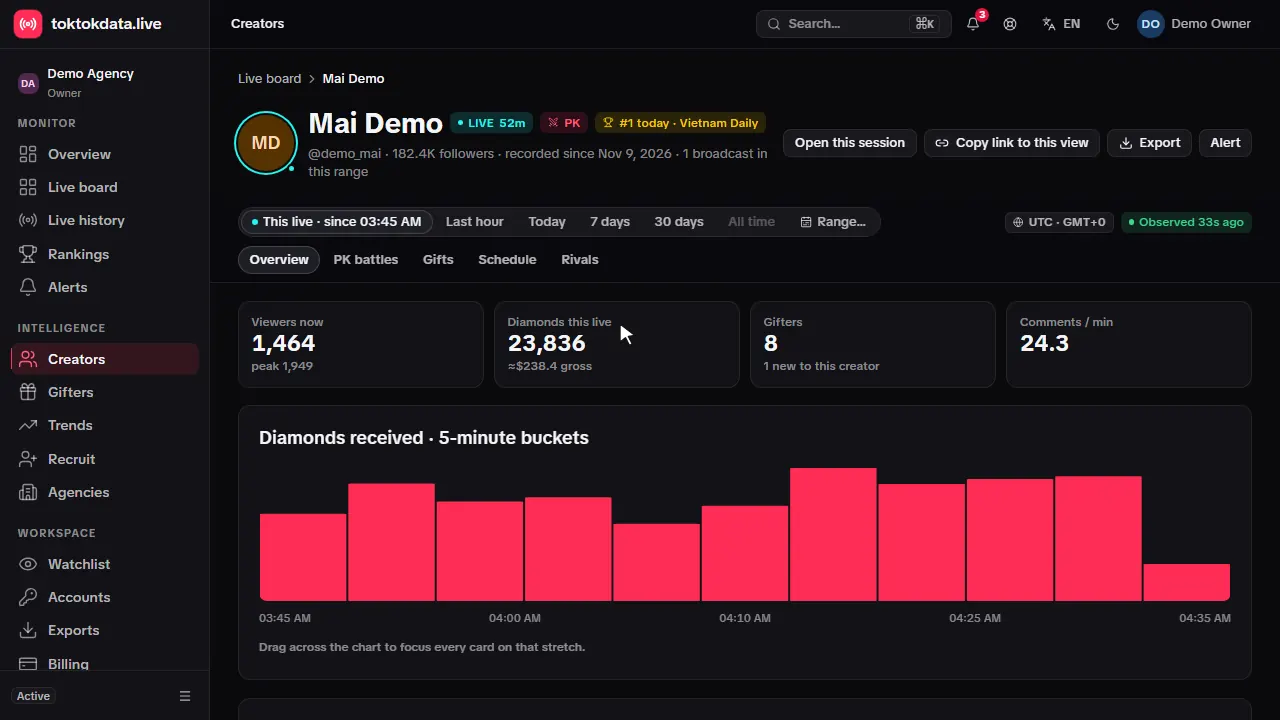
1From the live board, open a creator's LIVE page: the KPI cards show viewers, diamonds, gifters and comments.
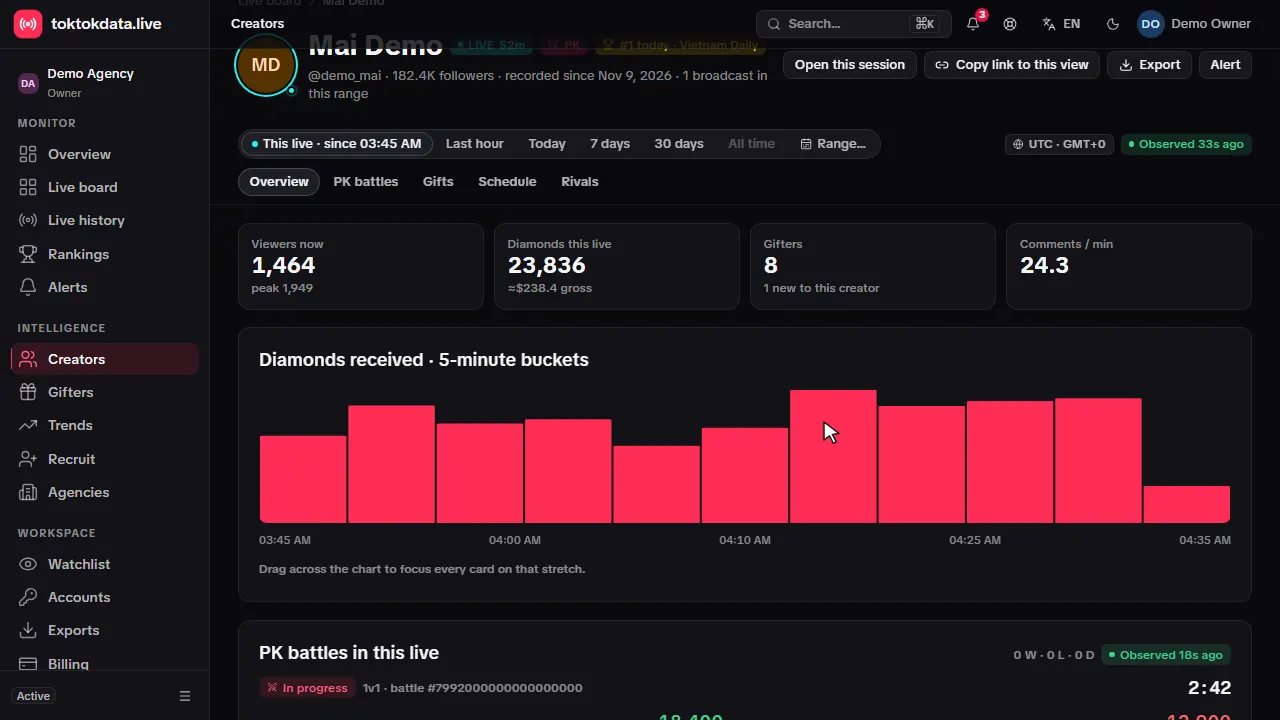
2The chart shows diamonds every 5 minutes; drag across it to focus every card on that stretch.
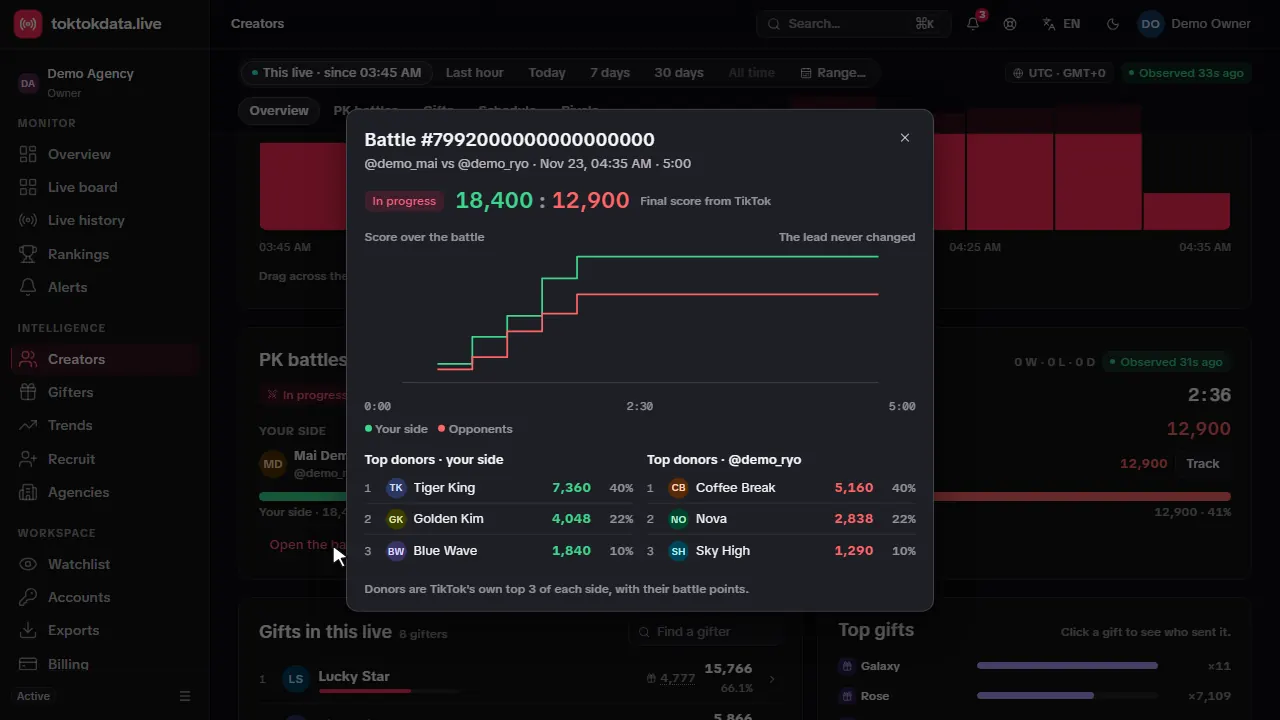
3The PK card shows the battle now with scores and time left; open the battle log for the score over time.
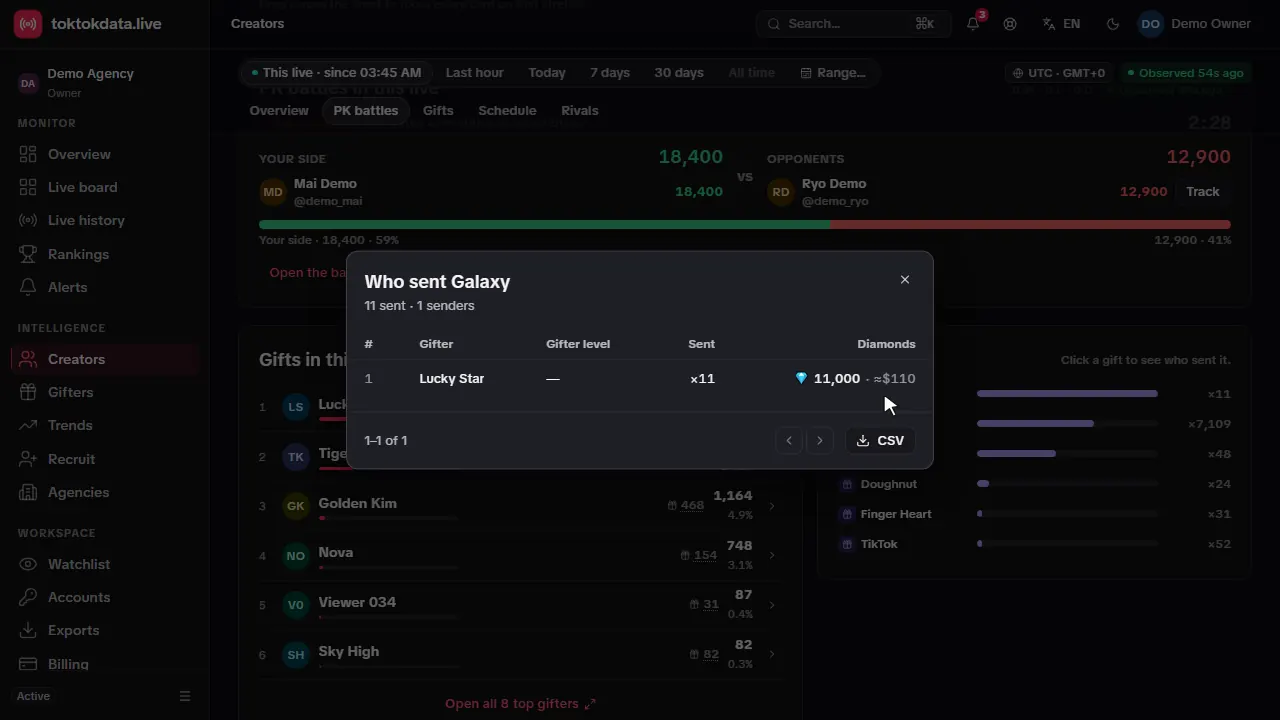
4Gifts in this live lists the gifters; click a top gift to see who sent it.
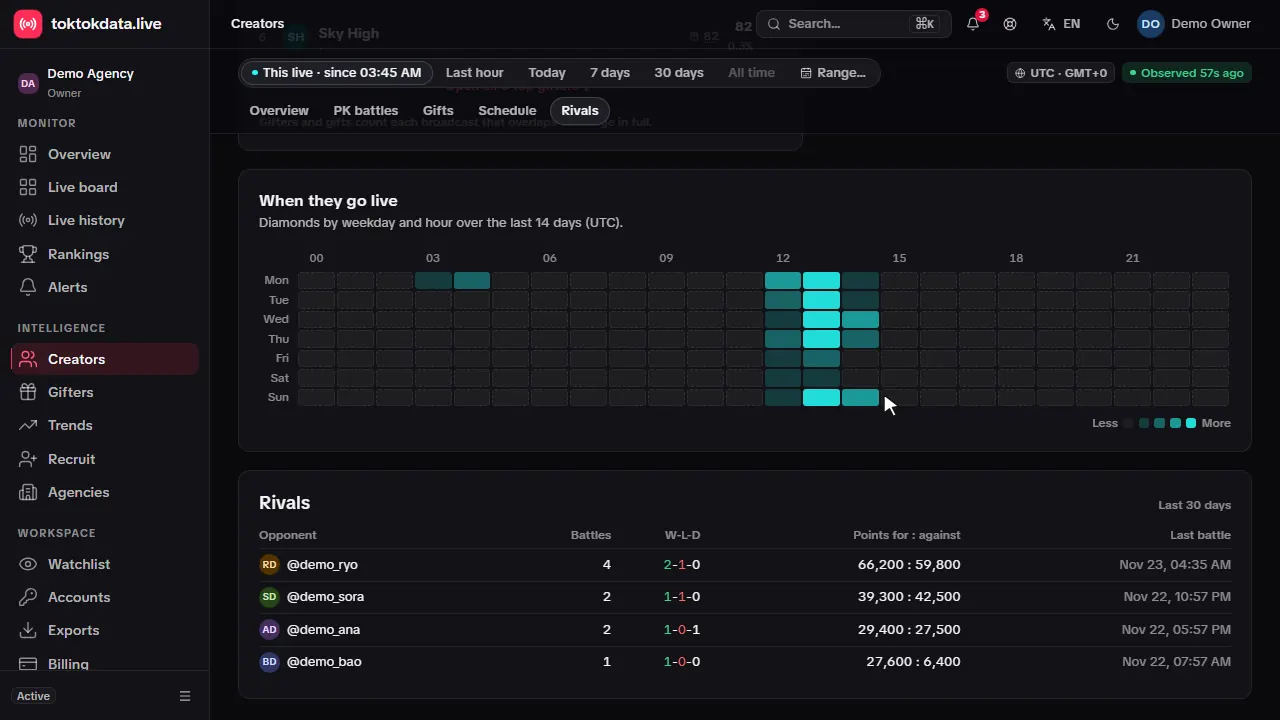
5When they go live maps diamonds by weekday and hour; Rivals sums up past PK battles.
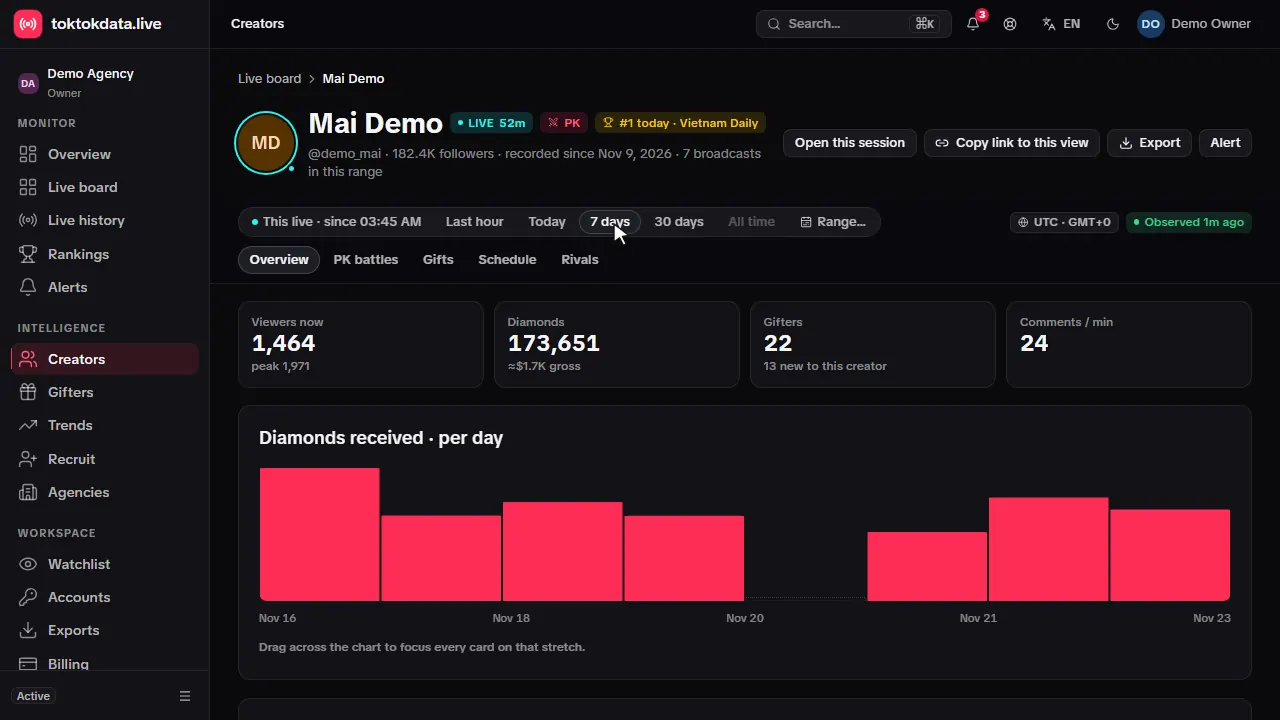
6Switch the range at the top: last hour, today, 7 or 30 days.
The header and the KPI cards
The header tells you whether the creator is LIVE now and for how long, their rank today on TikTok's daily board when they have one, and since when we record them. Copy link to this view shares the exact range you are looking at; Export downloads it; Alert creates a rule for this creator.
The four cards are Viewers now (with the peak), Diamonds of the range (with an estimate in US dollars), Gifters (and how many are new to this creator) and Comments per minute. Each card carries an "Observed" stamp: how fresh the number is. A value we never observed shows a dash, never a zero.
PK battles and rivals
During a battle, the PK card shows both sides, their points, the share bar and the time left, refreshed every few seconds. After it, the card shows the last battle and its result. Open the battle log for the score over time, the lead changes and the top donors of each side.
Rivals lists the creators this one battled over the last 30 days with the wins, losses and draws, the points for and against, and the last battle. It is the quickest way to see who a creator usually meets in PK and how it goes.
Gifts, gifters and schedule
Gifts in this live ranks the gifters of the range by diamonds, with their share of the total; search a gifter by name. Top gifts lists the gifts by diamonds; click one to see who sent it. Gifter totals count every recorded broadcast that overlaps the range in full.
When they go live colours each weekday and hour by the diamonds of the last 14 days, so you can plan shows and PK at the strongest hours. On the Free plan the gifter lists show the top gifters only; paid plans show everyone. Read how we collect data and the gifter guide for more.
Questions
Frequently asked questions
Why are some numbers a dash?
A dash means we did not observe that value, for example a LIVE before the creator was tracked. We never show 0 for something we did not see.
Are these numbers the same as TikTok's?
They are what we recorded in the LIVE room, so they are a lower bound. TikTok's own daily board figures are labelled official and never mixed in.
Why can't I open a creator that is not on my watchlist?
LIVE pages are built from recorded rooms of the creators your workspace follows. Add the creator to your watchlist first.