TikTok LIVE alerts by Telegram, email and webhook: set up a rule
By
- toktokdata.live team · Data teamThe people who read the boards, run the crawlers and write the methodology.
Published
Reading time
2 min read
Rules decide what, channels decide where
An alert rule watches one creator, your whole watchlist or any creator in a region, for the events you choose. Each rule delivers to one or more channels: in-app (always on), Telegram, email, a webhook, Discord or Zalo. Every match is also kept in the History tab, even when a channel fails.
The video creates a real rule on the dashboard with demo data: Telegram first, then a rule for big gifts with email and a webhook, a test, and the history.
Step by step
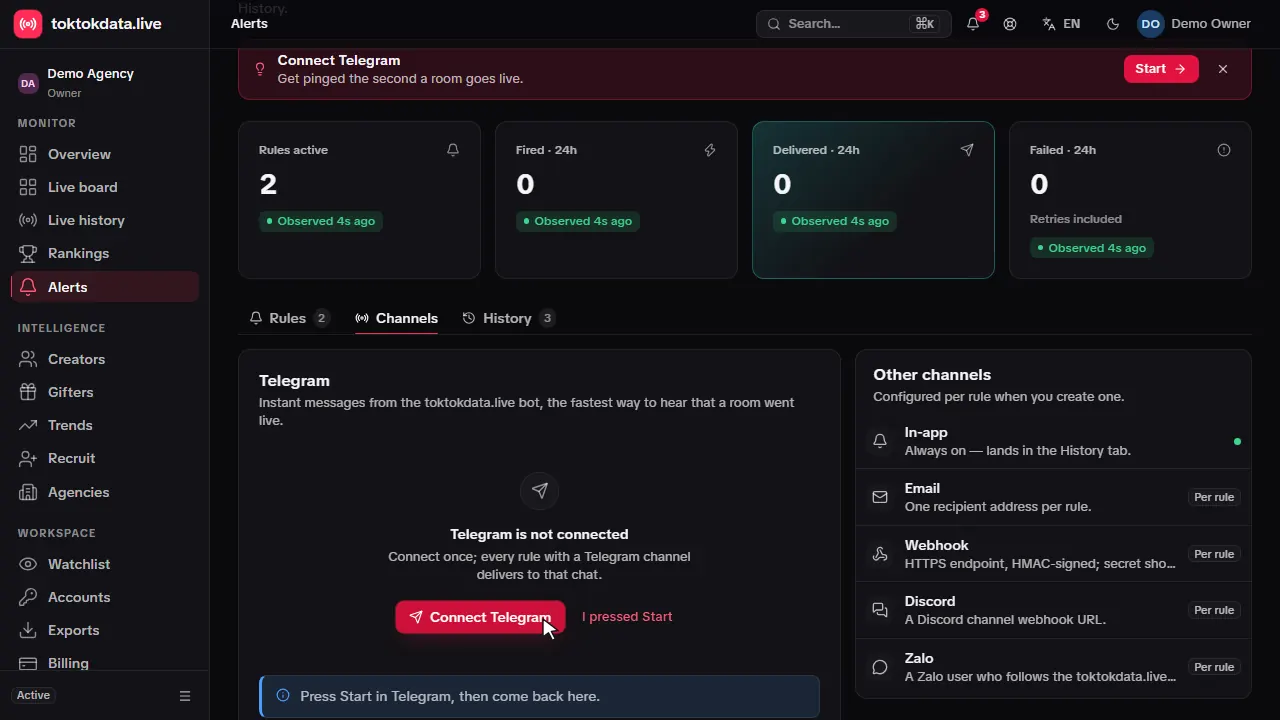
1On Alerts → Channels, press Connect Telegram and press Start in the bot chat that opens.
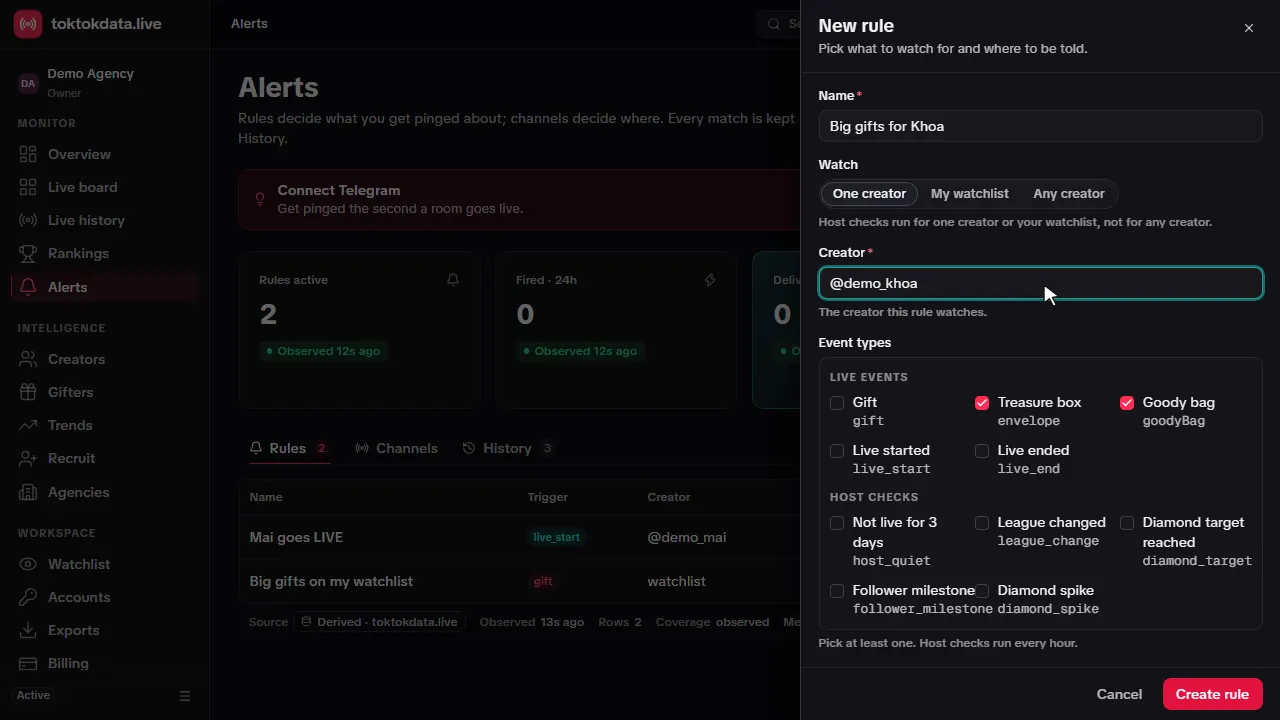
2On Rules, press New rule, name it and choose One creator with the creator's handle.
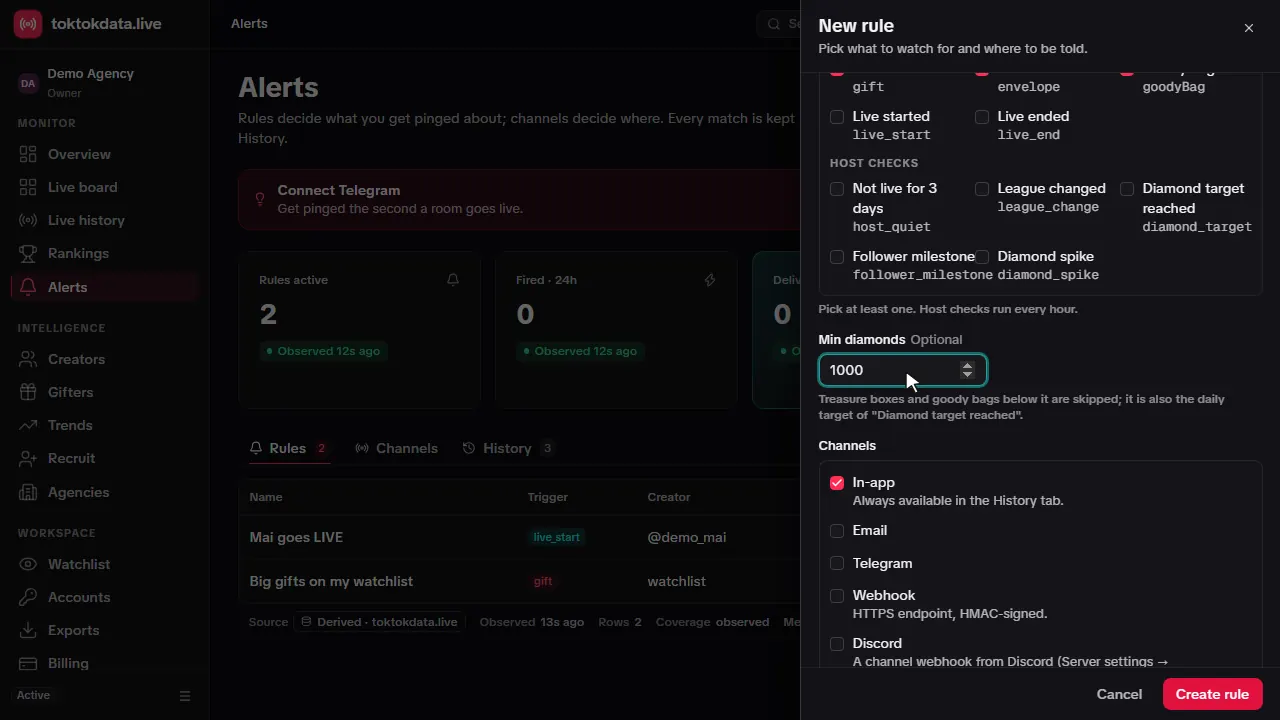
3Tick the events, here Gift, and set the minimum diamonds.
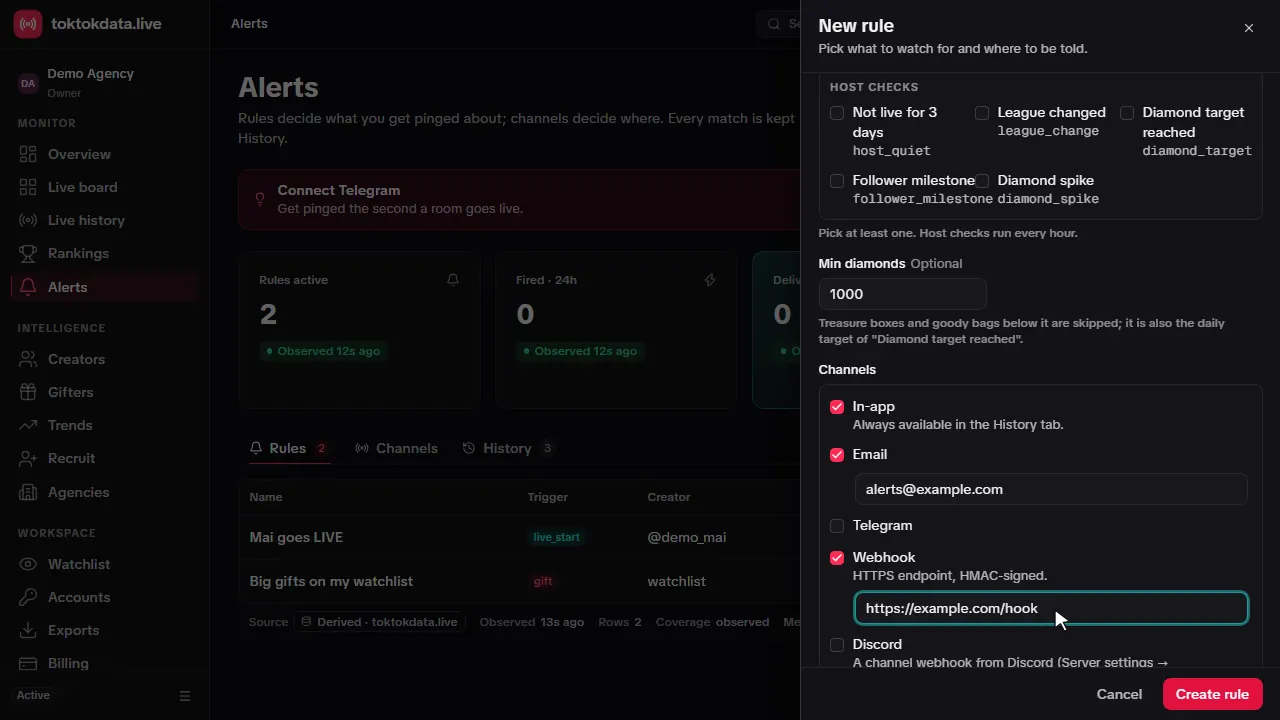
4Choose the channels: type an email address and an HTTPS webhook URL.
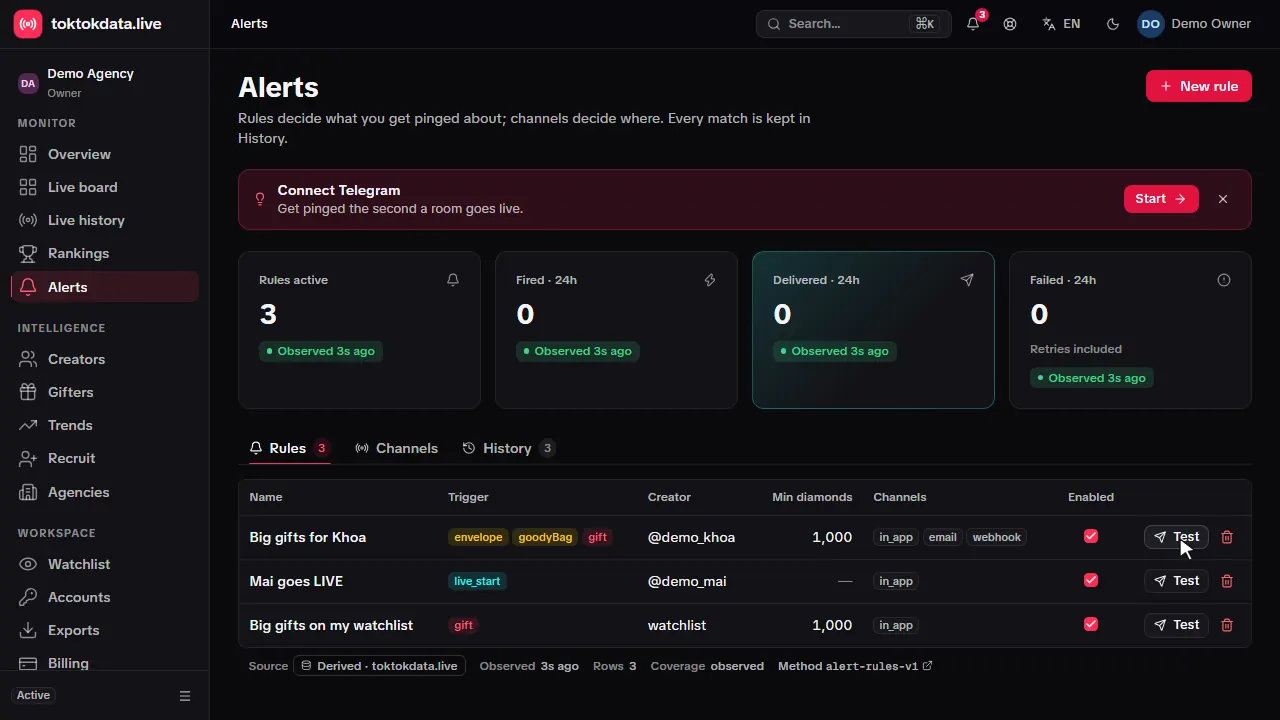
5Press Create rule, then Test to send a test notification to every channel.
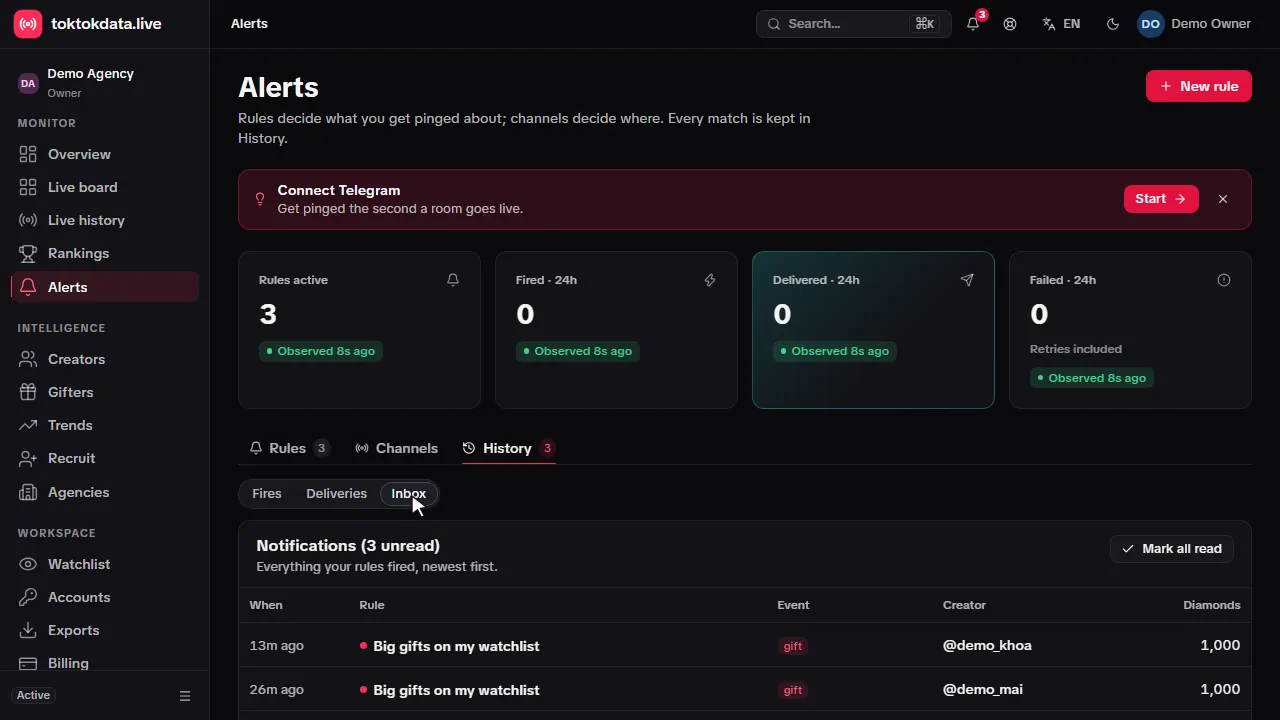
6History keeps every match: Fires, Deliveries and the Inbox.
The events you can watch
LIVE events fire while a room is LIVE; host checks run every hour.
- Live started and Live ended
- Gift, Treasure box and Goody bag, with a minimum number of diamonds
- Diamond spike: diamonds per hour reach about three times the creator's usual rate
- Diamond target reached: the day's diamonds pass the minimum you set
- Not live for 3 days, League changed and Follower milestone
Channels
Telegram is the fastest: connect once on the Channels tab and every rule with a Telegram channel delivers to that chat. Email takes one address per rule. A webhook posts JSON to your HTTPS endpoint, signed with HMAC; the signing secret is shown once when you create the rule, so store it then. Discord takes a channel webhook URL and Zalo the user id that follows our Zalo account.
Use Test on a rule after any change: the result tells you how many channels delivered. The Deliveries view of History lists each channel's outcome with the reason of a failure, or shows when your plan's limit capped a delivery. For webhooks and the rest of the API, see the API documentation.
Good rules to start with
Start small: a Live started rule for your top creators on Telegram, and a Gift rule on your watchlist with a high minimum, for example 1,000 diamonds. Add creators first: how to add a creator to your watchlist. Alerts only fire for LIVE rooms we record, see what gets tracked after you add a creator.
Questions
Frequently asked questions
Why did a rule not fire?
Check that the rule is enabled, that the creator is tracked and was LIVE, and that the gift reached the minimum. History → Fires lists every match; Deliveries shows what each channel did.
Can several people get the same alert?
Yes. Use a Telegram group, a shared email address or a webhook into your own tools; in-app alerts show for every member of the workspace.
I lost the webhook secret. What now?
The secret is shown only once. Delete the rule and create it again with the same webhook to get a new secret, then update your endpoint.